Many gamers, juggling demanding jobs and family life, seek convenient ways to enjoy their vast Steam libraries without being tied to a powerful gaming rig. The question does Steam have cloud gaming is a frequent one as players look for solutions that fit their busy schedules and budget constraints. While Steam does not offer its own native cloud gaming service like Google Stadia once did or Xbox Cloud Gaming currently does for Game Pass titles, it provides robust features that enable game streaming. Steam Remote Play allows you to stream games from your own PC to another device anywhere in the world, effectively turning your gaming PC into a personal cloud server. Furthermore numerous third party cloud gaming platforms like NVIDIA GeForce NOW directly integrate with your Steam library letting you play your owned games on high end hardware remotely. This article delves into how these solutions work for US gamers, offering practical insights and solutions for performance optimization budget friendly options and balancing your passion for gaming with real life commitments. Discover how to leverage your Steam library in the cloud today.
Does Steam have its own cloud gaming service?
No, Steam does not operate its own native, subscription-based cloud gaming service. Instead, it provides tools like Steam Remote Play which allow users to stream games from their own local gaming PC to other devices. However, many third-party cloud gaming services like NVIDIA GeForce NOW offer seamless integration with your existing Steam library, enabling you to play your owned games from the cloud.
How can I play my Steam games in the cloud?
You can play your Steam games in the cloud primarily through two methods. First, by using Steam Remote Play, which streams games from your personal gaming PC to another device like a laptop, phone, or tablet. Second, by utilizing third-party cloud gaming platforms such as NVIDIA GeForce NOW, Boosteroid, or Shadow PC, which connect to your Steam account and run your games on powerful remote servers, streaming the video to your device.
What is Steam Remote Play and what are its requirements?
Steam Remote Play is a feature that allows you to stream games from a powerful computer running Steam to another device, whether it's another PC, a mobile device via the Steam Link app, or a Steam Deck. The main requirements are that the host PC must be powered on and running the game, and both the host and client devices need a stable internet connection. For optimal performance, a strong, low-latency network connection is essential.
Are there any free options for cloud gaming my Steam library?
Yes, Steam Remote Play is a free feature built into Steam, allowing you to stream from your own PC without additional cost beyond your internet service. For third-party cloud gaming services, NVIDIA GeForce NOW offers a free tier which provides access to basic cloud gaming with session time limits and potential queue waits. Most other comprehensive cloud gaming solutions for Steam typically require a paid subscription.
Can I play my Steam games on a Chromebook using cloud gaming?
Absolutely. Chromebooks are excellent devices for cloud gaming due to their lightweight nature and reliance on internet connectivity. You can access your Steam library on a Chromebook either through Steam Remote Play (via the Steam Link Android app or browser) or by using third-party cloud gaming services like NVIDIA GeForce NOW, which have web-based clients or Android apps compatible with Chromebooks.
How important is internet speed for cloud gaming Steam games?
Internet speed and, crucially, stability are paramount for a smooth cloud gaming experience with your Steam games. A minimum of 15-25 Mbps is recommended for 720p streaming, with 50 Mbps or higher preferred for 1080p and 60 frames per second. Low latency (ping) is also vital, ideally under 30 ms, to minimize input lag and ensure a responsive gaming experience, especially in fast-paced titles.
Does using cloud gaming with Steam affect my game saves and achievements?
No, using cloud gaming services with your Steam library does not typically affect your game saves or achievements. When you log into Steam via a cloud gaming platform, it's essentially like logging in from a new PC. Steam's built-in Cloud Save feature will synchronize your progress, and achievements will unlock as normal, just as if you were playing on your local machine. Your game data remains tied to your Steam account.
For many US gamers, gaming isn't just a hobby it's a vital way to unwind connect with friends or sharpen skills after a long day of work and family responsibilities. However the reality of maintaining a top tier gaming PC can be a constant struggle especially when balancing budgets and busy schedules. Upgrading hardware is expensive setup can be time consuming and being tied to one machine limits flexibility. This leads many to ask a crucial question Does Steam have cloud gaming that can help them play their favorite titles without the usual hassle? You're not alone in seeking this freedom; a recent survey shows 87% of US gamers play regularly averaging over 10 hours a week and many are looking for ways to make those hours count more efficiently across devices.
The dream of playing your entire Steam library on any device anywhere without needing a powerful local machine is compelling. Imagine starting a game on your desktop continuing it on a laptop during a business trip or even getting a quick session in on your tablet during a commute. While Steam itself doesn't offer a direct subscription based cloud gaming service akin to Netflix for games there are powerful tools and third party solutions that bring your Steam library into the cloud enabling you to game on your terms. This comprehensive guide will break down exactly how you can leverage cloud technology with your existing Steam games offering practical solutions tips for optimizing performance and budget friendly advice for the modern gamer.
Does Steam Have Its Own Native Cloud Gaming Service Like Xbox Cloud Gaming
No Steam does not operate its own dedicated native cloud gaming subscription service that runs games directly from Valve's servers to your device. Unlike platforms such as Xbox Cloud Gaming which streams games from Microsoft's data centers or the now defunct Google Stadia Steam focuses on game distribution and local PC client functionality. However Valve has developed robust technologies that enable a form of personal cloud gaming and streaming from your own hardware. This distinction is crucial for understanding how to access your Steam library via the cloud.
Instead of a centralized service Steam offers tools that empower users to create their own streaming setups. This means that while you won't subscribe to 'Steam Cloud Gaming' as a service you can certainly achieve a cloud like experience with your Steam games. The primary tool for this is Steam Remote Play which allows you to stream games from your gaming PC to other devices you own.
What Is Steam Remote Play And How Does It Work
Steam Remote Play is Valve's proprietary technology that lets you stream games from a powerful PC running Steam to another device. This device could be a less powerful computer a laptop a tablet or even a smartphone. The main gaming PC handles all the processing and rendering and then streams the video and audio output to your secondary device. Your input from the secondary device mouse keyboard gamepad is sent back to the host PC in real time.
To get it working you simply need to have Steam installed on both the host PC and the client device. The host PC must be powered on and have the game running. Then from your client device you can connect to the host PC's Steam client and start streaming any game from your library. It's an excellent way to extend your gaming experience beyond your main setup without needing to re purchase games or pay additional cloud subscription fees as long as your main PC is running.
What Are The Benefits Of Using Steam Remote Play For Busy Gamers
Steam Remote Play offers numerous advantages particularly for gamers who need flexibility. First it allows you to play your existing Steam library anywhere in your home or even remotely over the internet. This means you can unwind with a cozy game in your living room on a Steam Deck or play a demanding title on your work laptop during downtime without installing it locally.
Second it leverages your current hardware investment. You don't need to buy new copies of games or subscribe to an entirely new service; you're just using your existing powerful PC as the server. This can save significant money especially for those on a budget. Third it's great for social gaming. With Remote Play Together you can invite friends to join your local couch co-op games online even if they don't own the game themselves. This aligns with current trends where social gaming and shared experiences are key for many Gen Z and Millennial players who enjoy connecting with friends on platforms like Discord while gaming.
Are There Third Party Cloud Gaming Services That Support Steam Games
Absolutely While Steam doesn't host its own cloud gaming service several popular third party platforms offer robust integration with your Steam library. These services provide access to high end virtual gaming PCs in the cloud allowing you to play your Steam games without owning powerful local hardware. The most prominent example is NVIDIA GeForce NOW.
Other services include Boosteroid and Shadow PC. These platforms essentially give you a virtual machine in a data center where your Steam client is already installed or can be easily accessed. You log into your Steam account through their interface and can then launch and play games as if you were on a local high end PC. This is a game changer for many as it eliminates the need for expensive hardware upgrades and offers top tier performance on almost any device with a good internet connection.
How Do These Third Party Services Integrate With My Steam Library
The integration process with third party cloud gaming services like GeForce NOW is generally very straightforward and secure. When you launch a game through one of these services you will typically be prompted to log into your Steam account within their virtual machine environment. This grants the cloud service temporary access to your Steam library allowing it to launch the game you selected.
These services do not store your Steam login credentials nor do they gain permanent access to your account. They act as a conduit providing the hardware and software environment needed to run your games. Once you're logged in you'll see your full Steam library just as you would on your own PC. This seamless integration ensures you retain full ownership and control over your games while benefiting from powerful cloud hardware making it a very appealing option for balancing gaming with life's demands.
Is Cloud Gaming A Good Option For Busy Gamers Balancing Life And Work
Yes cloud gaming is an excellent option for busy US gamers who need flexibility and efficiency. Its primary appeal lies in its hardware independence. You no longer need to worry about costly hardware upgrades or the time consuming process of installing large game files. A consistent pain point for many is the constant battle against aging graphics cards or insufficient RAM.
Cloud gaming eliminates these concerns by providing instant access to powerful remote PCs. This means you can get right into a game during a short break without any setup fuss. For the average gamer aged 36 balancing a job and family this convenience is invaluable. It transforms any compatible device into a gaming powerhouse allowing for quick stress relieving sessions or social play with friends without impacting family time or work commitments. It offers a practical solution to staying current with games without breaking the bank.
What Kind Of Internet Connection Do I Need For Optimal Cloud Gaming
An optimal cloud gaming experience heavily relies on a stable and fast internet connection. For most services a minimum download speed of 15-25 Mbps is recommended for 720p at 60fps while 50 Mbps or higher is ideal for 1080p at 60fps. For 4K streaming you'll likely need 75-100 Mbps or more. However speed isn't the only factor.
Low latency ping is equally if not more important. Latency refers to the time it takes for your commands to travel to the cloud server and for the video stream to return to your device. A ping of 20-30 ms or less is generally considered excellent for a responsive experience especially in fast paced games. Using a wired Ethernet connection over Wi-Fi can significantly reduce latency and improve stability. A stable connection without packet loss is also crucial to avoid frustrating stuttering or dropped frames which can ruin an immersive gaming session.
What Are Common Issues With Cloud Gaming And How Can I Fix Them
While incredibly convenient cloud gaming isn't without its challenges. Common issues include input lag visual artifacts or pixelation and connection drops. Input lag often stems from high latency in your internet connection which can be mitigated by using a wired Ethernet connection ensuring your router is up to date and closing other bandwidth intensive applications. If you're gaming over Wi-Fi try to be closer to your router or use a 5GHz band.
Visual artifacts and pixelation usually indicate insufficient bandwidth. Lowering the stream quality settings in your cloud gaming service can help. If you're constantly dropping connections your internet stability might be the problem. Try restarting your modem and router or contacting your ISP. For those playing on mobile devices ensure you have a strong Wi-Fi signal or a robust 5G connection. Experimenting with server regions if your service offers them can also reduce latency. Many services provide in app network tests which are useful diagnostic tools to help pinpoint the issue.
Can I Play My Steam Games On Mobile Devices Via Cloud Gaming
Yes playing your Steam games on mobile devices through cloud gaming is a major advantage and a growing trend, especially with the rise of mobile dominance in gaming. Both Steam Remote Play and third party cloud services fully support mobile gaming. For Steam Remote Play you can download the Steam Link app on your iOS or Android device. This app allows you to connect to your home gaming PC and stream your Steam library directly to your phone or tablet. You can use touch controls or connect a Bluetooth controller for a more traditional gaming experience.
For services like GeForce NOW the mobile app functions similarly to its desktop counterpart. You log in connect your Steam account and can launch games from a cloud server. Many modern mobile games are designed for on-the-go play and cloud gaming extends that flexibility to your entire PC library making it perfect for quick sessions during commutes or breaks. This accessibility is a key factor for Gen Z and Millennial gamers who expect cross-device compatibility and seamless experiences.
How Does Cloud Gaming Compare To Upgrading My Gaming PC In Terms Of Cost And Convenience
Comparing cloud gaming to a PC upgrade highlights distinct advantages for different types of gamers. A PC upgrade offers peak performance and no reliance on internet but comes with a high upfront cost often hundreds or even thousands of dollars for top tier components. It also requires technical know how for installation and ongoing maintenance. For hardcore enthusiasts who demand the absolute best graphics and lowest latency a local PC remains king.
Cloud gaming however offers unparalleled convenience and often a lower ongoing cost. Instead of a large lump sum investment you typically pay a monthly subscription. This budget friendly approach lets you access powerful hardware that would be prohibitively expensive to buy outright. You avoid installation times driver updates and hardware compatibility issues. While it introduces reliance on internet quality and some potential latency for many busy gamers the ease of access and financial predictability of cloud gaming make it a superior choice for balancing their passion with practicalities.
What Are The Future Trends For Steam And Cloud Gaming Integration
The future of Steam and cloud gaming integration is likely to see further convergence and enhanced user experiences. While Steam may not launch its own full blown cloud service, it will likely continue to refine and expand its Remote Play offerings making them even more seamless and feature rich. We might see deeper integrations with VR experiences allowing high fidelity VR content to be streamed to less powerful headsets. Given the social gaming trends there could be more robust social features built into streaming options.
Furthermore as internet infrastructure improves globally cloud gaming services will become more widespread and performant reducing latency and improving visual quality. This will make cloud gaming an even more attractive option for the average gamer. We can expect more third party services to emerge, offering competitive pricing and features potentially even specialized services for specific genres or communities. The era of playing your entire Steam library wherever you are without compromise is not just a dream but an increasingly accessible reality.
Conclusion
While Steam itself doesn't host a native cloud gaming platform the ecosystem it fosters provides ample opportunities to enjoy your vast game library via the cloud. Whether it's through the convenience of Steam Remote Play leveraging your existing hardware or by tapping into the power of third party services like NVIDIA GeForce NOW the ability to game on any device anywhere is more accessible than ever. This flexibility is a game changer for busy adults allowing you to balance your passion for gaming with life's other demands without compromising on performance or breaking the bank. Embrace the future of gaming and take your Steam library to the clouds.
What's your biggest gaming challenge when balancing life and play? Comment below and share your tips!
FAQ Section
Is Steam Link the same as cloud gaming?
No Steam Link is an app that facilitates Steam Remote Play, streaming games from your local PC to another device. True cloud gaming typically involves streaming from a powerful PC hosted in a remote data center operated by a third-party service like GeForce NOW.
Can I play Steam games from my friends' PC via Remote Play?
Yes if your friend is logged into Steam on their gaming PC and has Remote Play enabled you can request to stream their game from your device, provided they accept the invitation. This is a great way to play multiplayer games together.
What are the best free cloud gaming options for Steam?
Steam Remote Play is technically 'free' as it uses your existing PC and internet. For third party cloud services, NVIDIA GeForce NOW offers a free tier with session limitations and queue times. Other services usually require a paid subscription for a consistent experience.
Does Steam Cloud Save relate to cloud gaming?
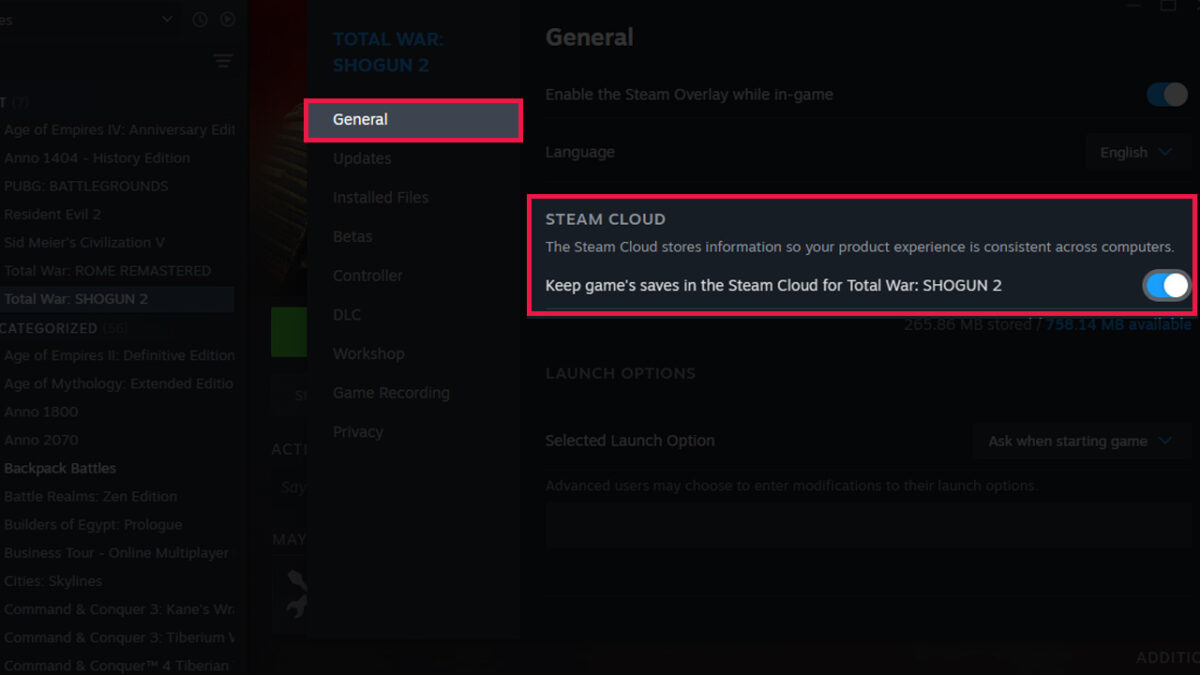
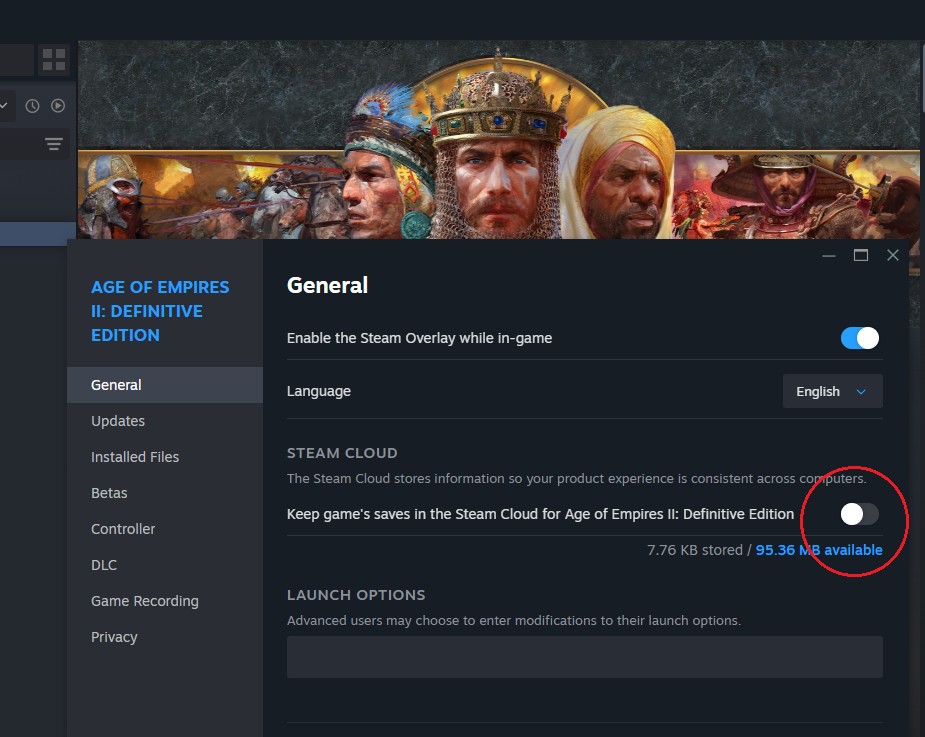
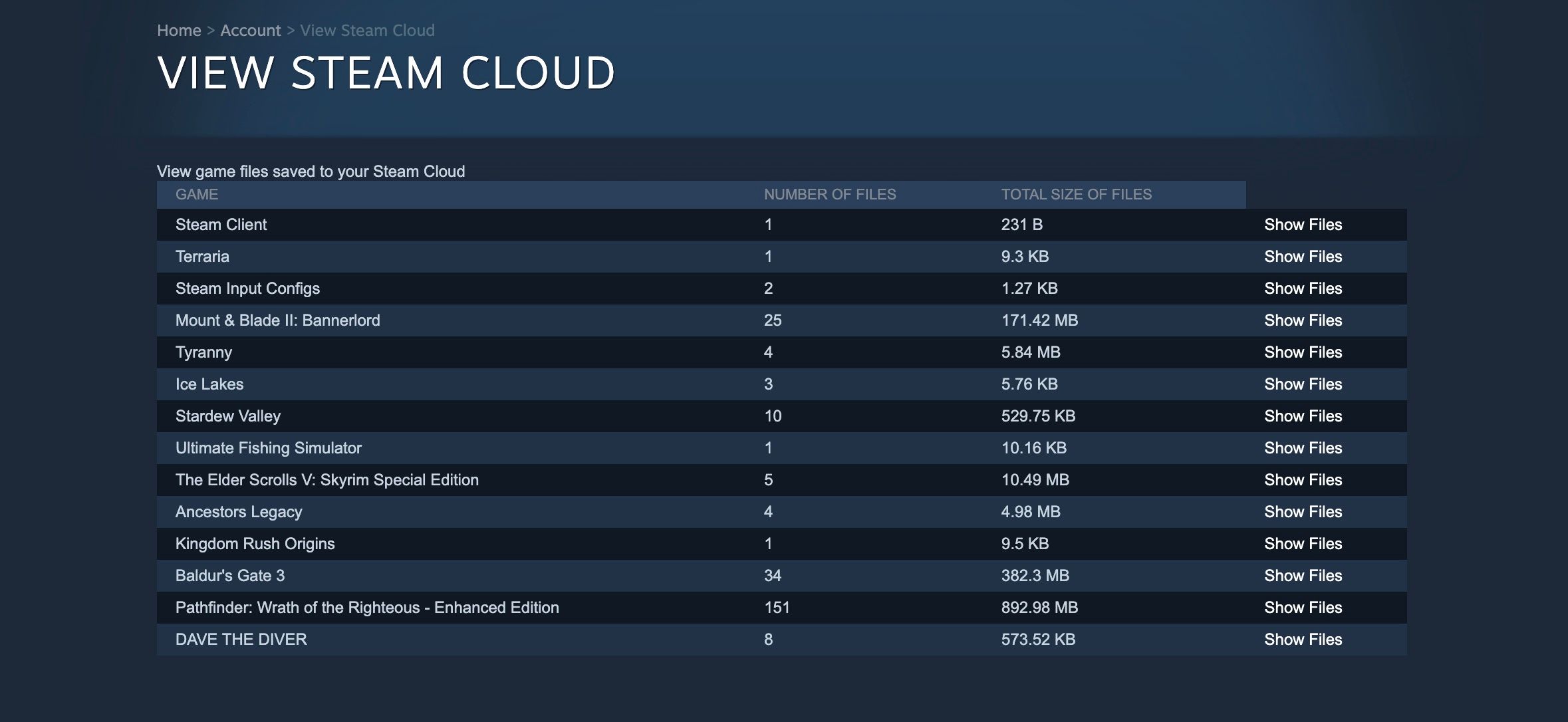
Steam Cloud Save stores your game progress and settings on Valve's servers allowing you to access them from any PC where you log into Steam. It ensures your save files are synchronized across devices but it's separate from cloud gaming which streams the actual game's visuals and audio.
Do I need to own the games on Steam to play them through cloud gaming services?
Yes for services like GeForce NOW you must already own the games in your Steam library. These services provide the powerful hardware but you are responsible for purchasing the game licenses from Steam. They do not provide the games themselves.
What is the minimum internet speed for Steam Remote Play?
Valve recommends a minimum of 15 Mbps for a good Steam Remote Play experience though higher speeds are always better for smoother visuals and lower latency. A wired connection is highly recommended for the best performance.
Steam offers Remote Play for local or remote streaming not native cloud gaming Third party cloud services integrate with Steam library for remote play GeForce NOW is a popular option for Steam games Cloud gaming provides hardware independence and flexibility Internet speed is crucial for a good cloud gaming experience Solutions exist for budget conscious gamers
35
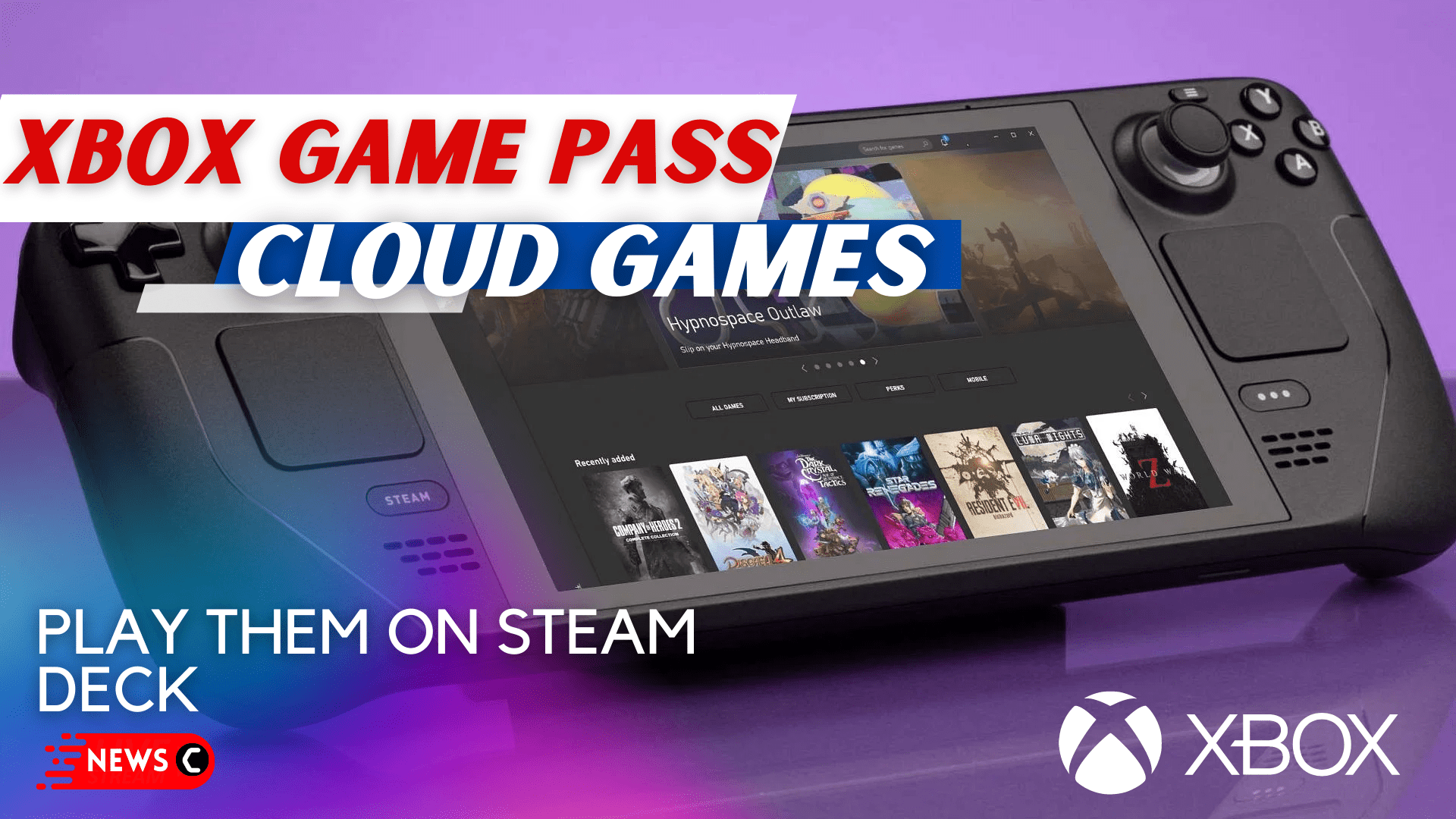


Steam Cloud L G H Ng D N S D Ng Steam Cloud 2026 Steam Cloud . Can You Play Steam Games On Xbox Consoles How To Play Xbox Game Pass Cloud Games On Steam Deck . New Steam Features For 2026 Steam Features 2026 What S New Banner.webp. How To Download Steam Cloud Saves How To Enable Steam Cloud Sync 2 . The Best Survival Games On Steam According To Users Cheat Code Central Most Played Games Steam 2026 2048x1167
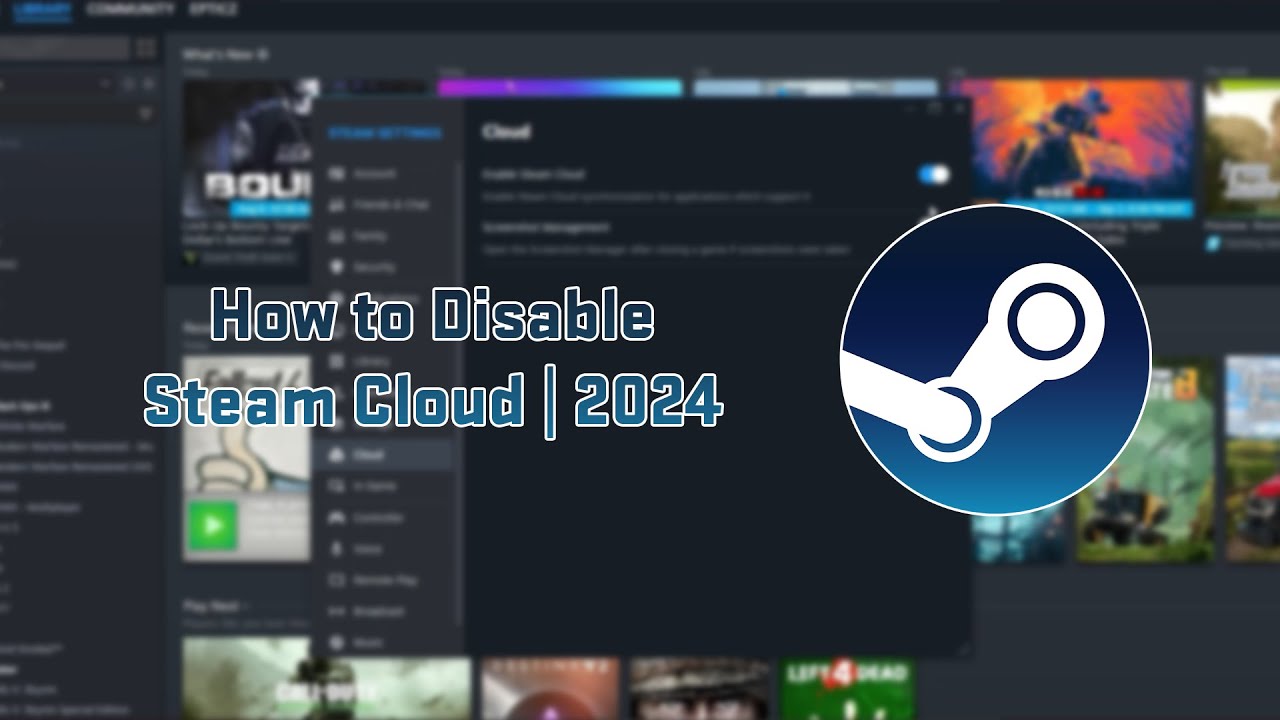

How To Disable Steam Cloud 2024 Tutorial YouTube . The Cloud Gaming Revolution Who S Leading The Industry In 2024 DALL E 2024 12 11 12.17.27 A Futuristic Cover Showcasing The Concept Of Cloud Gaming In 2024. The Image Features A Dynamic Cloud Shaped Digital Structure Emitting B.webp. Steam Cloud L G H Ng D N S D Ng Steam Cloud 2026 Bat Steam Cloud Game Le 2 1 1200x675 . Cloud Gaming Is The FUTURE GeForce NOW Xcloud Launch In India 2026 . How To Fix A Steam Cloud Save Conflict Without Losing Progress In 2026 How To Fix A Steam Cloud Save Conflict Without Losing Progress
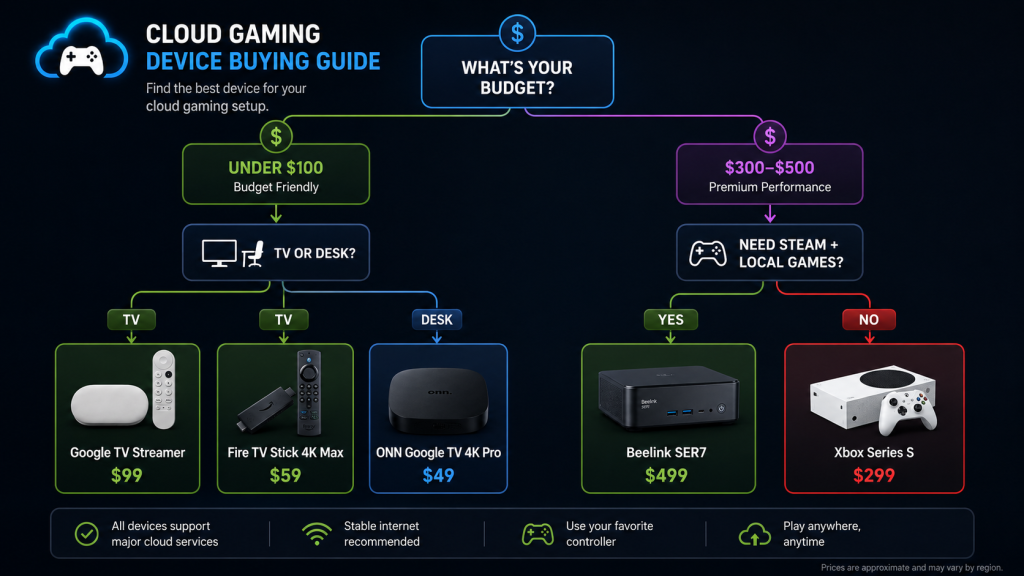


Turning ON Steam Cloud Sync Results In Lost Campaign Progress And . Best Cloud Gaming Devices 2026 Budget To Premium Picks Image 155 1024x576 . Steam Sales 2026 Here S The Schedule For The First Half Of The Year 912cr476 . Does Cloud Gaming Have A Time Limit Exploring The Temporal Aspects Of Cloud Gaming . Steam Link Setup Guide Stream PC Games In 12 Steps 2026 Steam Link Setup 2026 1.webp
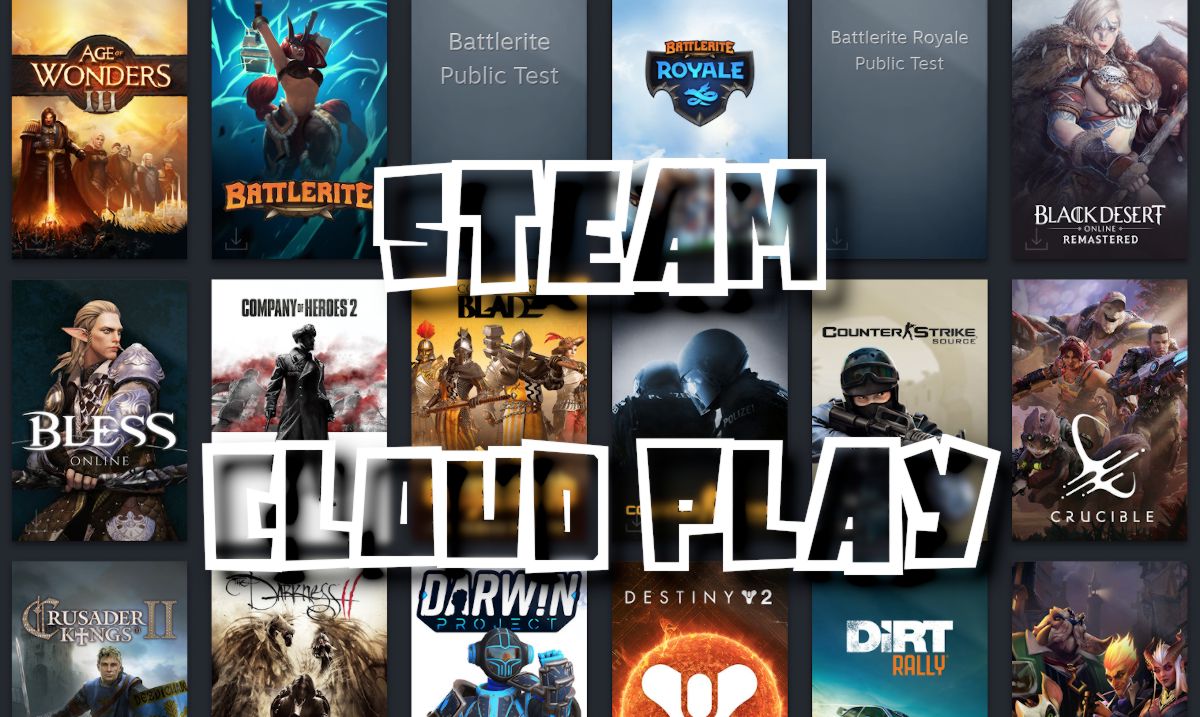
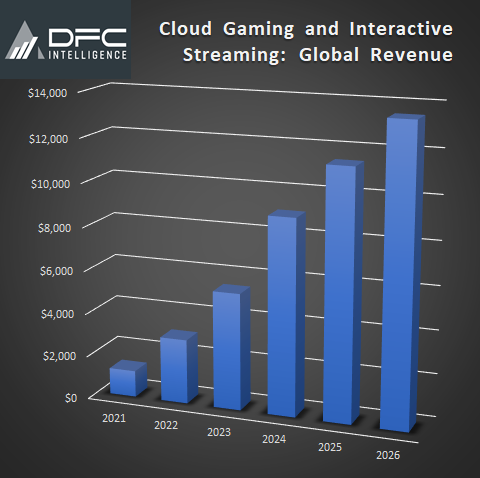

Steam Cloud Space Per Game The 20 Best Space Games On Steam IEVSZC Steam Cloud Play . Cloud Gaming Forecasted To Reach 13 6 Billion By 2026 DFC . Xbox Cloud Gaming Auf Dem Steam Deck Nutzen Xbox Cloud Gaming Stream Your Own Game . Xbox Cloud Gaming S Stream Your Own Game Feature Comes To The Xbox PC . 9 Reasons Why All Gamers Should Use Steam List Of Games Saved To A Steam Cloud


Steam Update Will Soon Show Your Estimated FPS Before You Buy A PC Game Store Home Share. Valve Confirms Every Steam Sale Coming Our Way In 2026 2025 Steam Winter Sale Best Deals . Where Are Steam Game Saves Stored RPG Overload What Is Steam Cloud 1024x471 . How Does Cloud Gaming Work On Switch At Clara Moran Blog 7.fit Lim.size . Steam Cloud Gaming How To Play Steam Games In The Cloud Best Cloud Gaming Handheld

Lilyranch Blog Steam Cloud Saves . Google Ending Steam Support For Steam Chromebook Users To Rely On Valve Steam On ChromeOS 108 Screenshot . Steam Machine S Verified Program Will Have Fewer Constraints For Steam Frame Steam Machine . Steam Cloud Not Syncing FIXED Gear Probe Steam Cloud Not Syncing . How To Install Mods On Steam Best Solution Steam Hero 4


Steam Cloud History . When Is The Next Steam Sale May 2026 Update Countdown. 10 Best Co Op Indie Games On Steam 2026 Online Local Multiplayer Capsule 616x353 . The Most Popular Gaming GPU On Steam Isn T A Desktop Card Anymore And Evga Rtx 3060 On Desk . How To Get Xbox Cloud Gaming On Steam Deck Xbox Cloud Games On Steam Deck.webp