Unlock the secrets to successful Roblox game pass creation and monetization in 2026 with this comprehensive guide. For adult gamers balancing life and play, learning to make game passes offers a fantastic opportunity to enhance your game, earn Robux, and engage your community. This article dives into practical steps, pricing strategies, and promotion tips, ensuring you navigate the Roblox creator economy effectively. Discover how to transform your creative ideas into valuable in-game assets, optimize your earnings, and avoid common pitfalls. Whether you are a seasoned developer or just starting, this guide provides actionable insights into leveraging game passes for growth and income within the dynamic Roblox platform. Stay ahead with up-to-date information on platform mechanics, revenue sharing, and community engagement, helping you build a thriving game and a rewarding experience. This informational resource is your go-to for all things Roblox game pass, designed to empower creators in the vibrant digital landscape.
How do I start making a game pass in Roblox Studio?
You don't directly 'make' a Game Pass within Roblox Studio itself. The Game Pass asset (image, name, description, price) is created via the Roblox Creator Dashboard on the website (create.roblox.com). Once created, you then use Roblox Studio to write scripts that detect if a player owns that specific Game Pass and grant them the associated in-game benefits or access.
What's the minimum price for a Roblox game pass?
The minimum price you can set for a Roblox Game Pass is 1 Robux. However, considering the 30% platform fee, this means you would only earn 0.7 Robux per sale. Most developers price their Game Passes higher to reflect the value provided and to make meaningful earnings.
Can I earn real money from Roblox game passes?
Yes, you can earn real money from Roblox game passes through the Developer Exchange (DevEx) program. Once you've accumulated a sufficient amount of Robux from sales (and after the pending Robux period), you can exchange them for real-world currency, provided you meet the eligibility requirements, including being 13 years or older and having a verified account.
Why isn't my game pass showing up in my game?
If your game pass isn't showing up or working in your game, there are several common reasons. First, ensure it's toggled 'On Sale' in the Creator Dashboard and has a price. Second, double-check that your in-game scripts are correctly using the Game Pass ID (Asset ID) to detect ownership and grant benefits. Third, make sure the script is active and free of errors. Proper implementation in Roblox Studio is key.
What's the difference between a game pass and a developer product?
The core difference lies in their purchase frequency: a Game Pass is a one-time purchase that grants permanent access to a feature, item, or area. A Developer Product (Dev Product) is a consumable item that players can purchase multiple times, such as in-game currency, temporary power-ups, or single-use boosts. Game Passes offer lasting benefits, while Dev Products are for repeated, temporary advantages.
How long does it take to get Robux from game pass sales?
After a player purchases your Game Pass, the Robux will first enter a 'Pending Robux' state. This period typically lasts 3 to 7 days, allowing Roblox to verify transactions for security. Once this pending period is over, the Robux (your 70% share after the platform fee) will be transferred to your 'Available Robux' balance, ready for use or DevEx.
What are some creative game pass ideas for my Roblox game?
Creative Game Pass ideas include 'VIP Lounge Access' for exclusive social spaces, 'Pet Companion Pass' for unique aesthetic followers, 'Gravity Control Ability' for custom movement mechanics, 'Developer Support Badge' for a cosmetic showing player appreciation, 'Exclusive Weapon Skin Pack' for unique cosmetic customization, or 'Double XP Boost' for faster progression. Focus on enhancing fun, providing unique aesthetics, or offering meaningful convenience.
Are you one of the countless adult gamers who juggle work, family, and a passion for gaming, often finding your precious play time limited? You're not alone. Many of us, part of the 87% of US gamers who play regularly, spending an average of 10+ hours a week, dream of turning our gaming creativity into something more. Roblox, a platform where over 60% of US gamers engage, isn't just for playing; it's a powerful tool for creation and even earning. Imagine enhancing your own Roblox game, adding unique features, or offering exclusive content to your players, all while potentially earning some Robux to fuel your next gaming session or even cover a new hardware upgrade. This isn't just a pipe dream; it's entirely achievable by learning how to make a Roblox Game Pass. You might feel daunted by the technicalities, worried about wasting time on setup, or unsure if it's worth the effort amidst your busy schedule. This comprehensive guide is here to cut through the noise, providing clear, actionable steps for making a Roblox Game Pass that adds genuine value to your game and your wallet, without the hype, just solid, practical advice for 2026.
We understand you value relaxation, fun, skill-building, social play, and getting good value for your money. This article will help you master the process of Roblox making gamepass, optimizing for performance and engagement. We'll tackle everything from initial setup to smart pricing and promotion, ensuring you can confidently create and manage your game passes. By focusing on practical solutions and current trends, we'll help you navigate the Roblox creator landscape efficiently, making the most of your time and effort. Let's dive in and transform your game development aspirations into tangible success.
What Exactly Is a Roblox Game Pass and Why Should I Make One?
A Roblox Game Pass is essentially a one-time purchase item within your Roblox experience that grants players permanent access to special abilities, items, or areas. Think of it as a premium unlock. Unlike Developer Products which can be purchased multiple times (like consumables), a Game Pass is a permanent entitlement. Why make one? For creators, it's a primary method of monetizing your game, allowing you to earn Robux directly from your players. For players, it offers exclusive content and enhances their gameplay experience. Creating Game Passes helps fund your game development, allows you to invest more time and resources into your project, and fosters a sense of exclusivity and community among your dedicated players. It's a win-win, offering value to both the creator and the player.
How Do I Create a Game Pass on Roblox in 2026?
Creating a Game Pass on Roblox has become more streamlined. Here are the steps:
Access the Creator Dashboard: Go to create.roblox.com and log in. This is the modern hub for all your creator needs, replacing the older 'Develop' page on the main Roblox site.
Select Your Experience: Navigate to 'Experiences' and click on the game where you want to add the Game Pass.
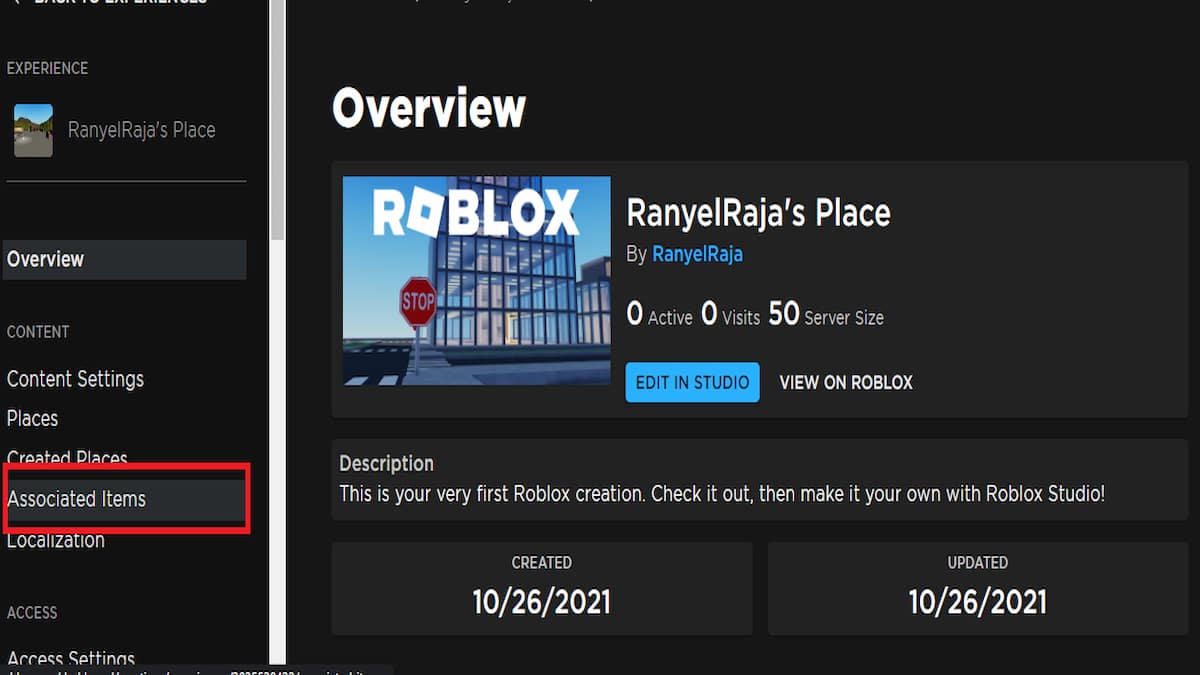
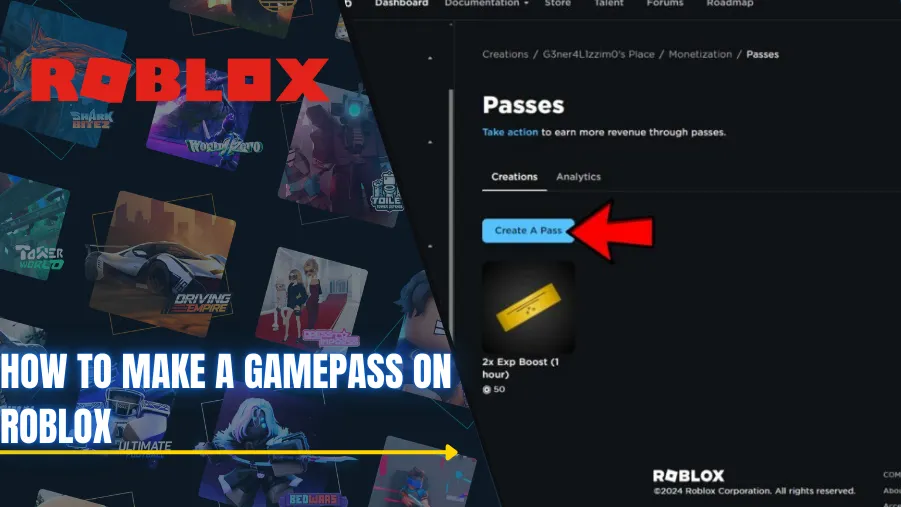
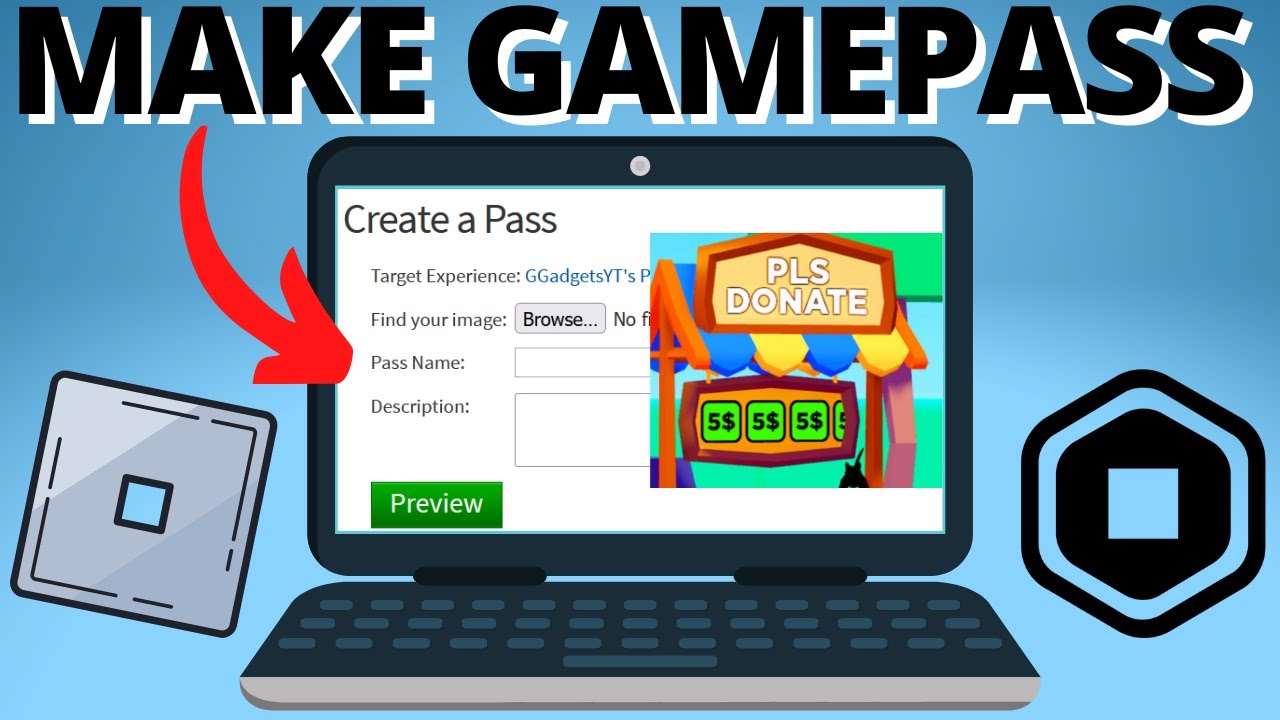
Create a Game Pass: In your experience's dashboard, look for 'Monetization' or 'Associated Items' and then select 'Game Passes'. Click 'Create a Game Pass'.
Upload an Image: You'll need a clear, engaging image for your Game Pass. This thumbnail is crucial for attracting players. Ensure it's 512x512 pixels and visually represents what the pass offers. Roblox policy dictates appropriate content, so keep it clean and relevant.
Name and Describe: Give your Game Pass a descriptive name (e.g., 'VIP Access', 'Double Jump Power'). Write a compelling description that clearly explains the benefits to players. Be specific about what they get and why it's worth it.
Set the Price: This is a critical step. After creation, you'll need to go back into the Game Pass settings, usually under a 'Sales' tab, to toggle 'Item for Sale' and set the Robux price. Consider your target audience and the value provided. Roblox takes a percentage (currently 30%), so factor that into your pricing strategy.
Implement in Your Game: The Game Pass won't do anything until you script its functionality within Roblox Studio. You'll use the 'MarketplaceService' API to check if a player owns a specific Game Pass ID (which you can find in the Game Pass URL or settings). For example, if a player tries to enter a VIP area, your script would check if they own the VIP Game Pass.
These steps are designed for ease of use, reflecting Roblox's commitment to empowering creators. Remember, proper implementation in Studio is key for the Game Pass to function as intended.
What Are the Best Practices for Pricing My Game Pass?
Pricing your Game Pass effectively is an art. Too high, and players won't buy; too low, and you undervalue your content and earnings potential. Here's a balanced approach:
Value Proposition: Does the Game Pass offer a significant, lasting advantage or a unique cosmetic? High value (e.g., permanent access to exclusive zones, game-breaking abilities) can justify a higher price. Lower value (e.g., a simple color change) warrants a lower price.
Target Audience: Consider who your players are. Younger players might have less Robux. Adult gamers who balance gaming with jobs and families might be willing to pay more for convenience or unique experiences, especially if it saves them time. The average age of 36 for many gamers suggests a demographic with disposable income but also a demand for value for money.
Competition: Look at similar Game Passes in popular games. What are they charging for comparable benefits? This gives you a baseline.
Psychological Pricing: Prices ending in 99 or 9 (e.g., 49 Robux, 199 Robux) often feel more appealing than round numbers. Incremental pricing can also be effective, offering a range of passes from affordable to premium.
Revenue Share: Remember Roblox takes a 30% cut. If you want to earn 70 Robux, you need to set the price at 100 Robux. Always calculate your net earnings.
Testing: Don't be afraid to test different price points, especially for new passes. Monitor sales data and adjust if necessary. Sometimes a small price adjustment can significantly impact sales volume.
Smart pricing ensures your Game Pass is perceived as valuable and maximizes your Robux earnings.
How Can I Promote My Roblox Game Pass Effectively?
Even the best Game Pass won't sell itself. Effective promotion is crucial, especially in today's crowded Roblox landscape. Here's how to get the word out:
In-Game Advertisements: Use UI elements within your game to highlight Game Passes. Think subtle banners, pop-ups when a player approaches a Game Pass exclusive area, or a dedicated 'Shop' button in your main menu. Make the benefits clear and visually appealing.
Social Media Engagement: Leverage platforms like Discord, Twitter, and YouTube. Share screenshots, short video clips, or GIFs demonstrating the Game Pass's features. Engage with your community, run polls, and create excitement. Many US gamers are active on these platforms, seeking community and updates.
Community Hubs: Post about your Game Pass on Roblox developer forums or relevant gaming communities. Be helpful and informative, not just promotional. Answer questions and showcase the value.
Word of Mouth: Encourage players to share their positive experiences. Special in-game titles or visible perks for Game Pass owners can also act as organic promotion, showing others what they're missing.
Content Creator Collaborations: If your game gains traction, consider reaching out to smaller Roblox content creators or streamers. A sponsored video or live stream showcasing your Game Pass can reach a wide, engaged audience, especially relevant in the current creator economy.
Updates & Bundles: Announce Game Pass sales or new features as part of larger game updates. Consider bundling Game Passes with other items or offering limited-time discounts to create urgency.
Consistent, creative promotion helps your Game Pass stand out and reach the players who will appreciate it most.
What Are the Common Pitfalls to Avoid When Making a Game Pass?
While creating a Game Pass is relatively straightforward, several common mistakes can hinder its success:
Lack of Value: The biggest pitfall. If your Game Pass doesn't offer meaningful, unique, or fun content, players won't buy it. Avoid selling something that feels like it should be free or easily obtainable through regular gameplay.
Poor Description/Image: A blurry image or vague description leaves players confused. Be clear, concise, and visually appealing. Your Game Pass needs to sell itself at a glance.
Broken Functionality: If a player buys a Game Pass and it doesn't work, they'll feel cheated. Thoroughly test your scripts in Roblox Studio before releasing the Game Pass. This leads to negative reviews and distrust.
Overpricing/Underpricing: As discussed, finding the right price is crucial. Overpricing deters buyers; underpricing leaves Robux on the table. Regularly review your pricing strategy.
Ignoring Feedback: Players will tell you if your Game Pass is good or bad. Listen to their feedback in comments, social media, or in-game chats. It's a valuable source for improvement.
Too Many Game Passes: Flooding your game with dozens of Game Passes can overwhelm players and dilute the value of each. Focus on a few high-quality, impactful passes instead.
Not Considering the 30% Cut: Forgetting that Roblox takes a percentage can lead to unexpected lower earnings. Always factor this into your financial planning.
Avoiding these pitfalls will significantly increase your chances of Game Pass success and player satisfaction.
How Does Roblox Share Revenue from Game Passes?
Understanding Roblox's revenue sharing model is essential for any creator. When a player purchases your Game Pass, the Robux generated are distributed as follows:
Roblox Platform Fee: Roblox takes a 30% cut of the Robux earned from Game Pass sales. This percentage is consistent across most in-game purchases on the platform.
Developer's Share: The remaining 70% of the Robux goes directly to the game developer (you). This is your net earning from the sale.
For example, if you sell a Game Pass for 100 Robux, 30 Robux goes to Roblox, and 70 Robux is credited to your account. These Robux accumulate in your 'Pending Robux' balance, which typically clears and becomes spendable after a few days, allowing for security checks. This model ensures that while Roblox maintains its platform, creators are substantially rewarded for their efforts. It's a fair system that supports a vibrant creator economy, allowing gamers to potentially turn their passion into a side income or even a full-time endeavor.
Can I Make Game Passes on Mobile Devices?
While you can play Roblox games and even manage some aspects of your profile on mobile devices, **creating and configuring Game Passes primarily requires access to the Roblox Creator Dashboard, which is best accessed via a web browser on a desktop or laptop computer.** Roblox Studio, where you'll implement the functionality of the Game Pass, is also a desktop application. While mobile browsers can technically access the Creator Dashboard, the interface is optimized for larger screens and a mouse/keyboard setup, making the process cumbersome on a phone or tablet. For a smooth and efficient workflow in making and implementing Game Passes, a PC or Mac is highly recommended. This aligns with the reality that while mobile gaming dominates in terms of player numbers (especially for adult gamers sneaking in quick sessions), serious content creation usually requires a more robust setup.
What Makes a Game Pass Successful and Valuable to Players?
A truly successful and valuable Game Pass resonates with players and enhances their overall experience. Here are key characteristics:
Clear Benefit: Players immediately understand what they're getting and why it's worth the Robux. Vague benefits lead to uncertainty and fewer sales.
Uniqueness: It offers something that can't be easily obtained otherwise, or significantly speeds up progression for busy players. Exclusive items, powerful abilities, or access to special areas are strong examples.
Fair Price-to-Value Ratio: The cost feels justified by the permanent advantage or aesthetic appeal it provides. Gamers, especially those balancing life and budget, are savvy about value for money.
Enhances Fun: It makes the game more enjoyable, whether through new gameplay mechanics, unique social interactions, or aesthetic customization. It shouldn't feel like a pay-to-win essential but rather an optional upgrade to fun.
Longevity: The benefits remain relevant and desirable over time, encouraging continued play and justifying the one-time purchase. A Game Pass that becomes useless after a week is not valuable.
Seamless Integration: The Game Pass functionality works perfectly within the game, without bugs or glitches, providing a smooth and satisfying experience for the buyer.
By focusing on these elements, you can create Game Passes that truly captivate your audience and contribute positively to your game's ecosystem.
Are There Alternatives to Game Passes for Monetizing My Roblox Game?
Absolutely! Game Passes are a cornerstone of Roblox monetization, but they are not the only option. To maximize your earning potential and offer diverse ways for players to support your game, consider these alternatives:
Developer Products (Dev Products): These are consumables that players can purchase multiple times. Examples include in-game currency packs, single-use power-ups, skip-level tokens, or lottery tickets. They're great for players who want immediate, temporary advantages without a permanent commitment. Many games combine Game Passes for permanent unlocks and Dev Products for ongoing purchases.
Premium Payouts: Roblox automatically rewards developers whose games attract and retain Roblox Premium subscribers. The more Premium players spend time in your experience, the more Robux you earn. This incentivizes creating engaging content that keeps players coming back, irrespective of direct purchases.
Engaging Player Retention: While not a direct monetization tool, keeping players engaged for longer periods through compelling gameplay, regular updates, and social features indirectly boosts earnings through Premium Payouts and increases the likelihood of Game Pass and Dev Product purchases. Social gaming and community building are huge trends in 2026, so lean into them.
User-Generated Content (UGC) with Commissions: If your game supports UGC, allowing players to create and sell their own items (like custom clothing or building assets) within your experience, you can potentially earn a commission on those sales. This fosters a vibrant creator community within your game.
A smart monetization strategy often involves a blend of these options, catering to different player preferences and maximizing overall revenue. Remember, value for money is key for today's gamers.
How Do I Manage and Update My Existing Game Passes?
Managing and updating your Game Passes is an ongoing process to ensure they remain relevant and functional:
Creator Dashboard: All management of Game Passes (changing names, descriptions, images, or prices) happens through the Creator Dashboard (create.roblox.com). Navigate to your experience, then to 'Associated Items' or 'Monetization' and select 'Game Passes'. From there, you can edit existing passes.
Script Updates in Studio: If you change the functionality or benefits of a Game Pass, you'll need to update the corresponding scripts in Roblox Studio. For instance, if you add a new ability to a 'VIP Pass,' you must script that ability and ensure your game checks for VIP ownership correctly.
Monitor Sales Data: Regularly check your sales reports in the Creator Dashboard. This data gives you insights into which passes are performing well and which might need a price adjustment, a description tweak, or even a promotional boost. Trending data from this month can offer valuable clues.
Player Feedback: Pay attention to player comments and bug reports. If players are confused about a Game Pass or experiencing issues, address them promptly. This builds trust and encourages future purchases.
Archiving/Disabling: If a Game Pass becomes obsolete or you no longer want to sell it, you can disable it from sale in the Creator Dashboard. Players who already own it will retain access, but no new purchases can be made.
Proactive management ensures your Game Passes continue to be a valuable asset to your game and a consistent source of Robux earnings.
FAQ Section
How do I make a Game Pass on Roblox without Roblox Studio?
You can create the Game Pass asset itself (upload image, name, description, set price) through the Roblox Creator Dashboard (create.roblox.com) in your web browser. However, to make the Game Pass actually *do* something in your game (e.g., unlock a door, grant an item), you *must* use Roblox Studio to write the necessary scripts. The creation and implementation are separate steps.
Can I delete a Game Pass after I've made it?
No, you cannot permanently delete a Game Pass once created. However, you can take it off sale in the Creator Dashboard, which prevents new players from purchasing it. Existing owners will still retain their access. This is important to remember when designing your Game Pass offerings.
What is the minimum Robux price for a Game Pass?
The minimum price you can set for a Roblox Game Pass is 1 Robux. However, setting such a low price might not be worth the effort after Roblox's 30% cut. It's generally recommended to price Game Passes at a value that reflects the benefit and the effort invested.
How long does it take for Robux from Game Pass sales to appear in my account?
After a Game Pass is purchased, the Robux will first appear in your 'Pending Robux' balance. This pending period typically lasts 3-7 days while Roblox processes and verifies the transaction for security purposes. Once cleared, the Robux will move to your 'Available Robux' balance, ready for use or cash-out (DevEx).
What image size should I use for my Game Pass icon?
For the best appearance and to meet Roblox's requirements, your Game Pass icon image should be 512x512 pixels. Ensure it's a clear, high-quality image that accurately represents what the Game Pass offers, as this is often the first thing players see.
Is a Game Pass a one-time purchase or can players buy it multiple times?
A Game Pass is designed as a **one-time purchase** that grants permanent access to a specific feature, item, or ability within your Roblox experience. Players only need to buy it once to receive its benefits indefinitely. If you want something players can buy repeatedly, you should use a Developer Product instead.
Mastering the art of Roblox making gamepass is a valuable skill for any creator in 2026. It's a proven path to monetizing your creativity, enhancing your games, and engaging your player base. By following the steps and advice outlined here, you're well-equipped to create impactful Game Passes that resonate with players and contribute to your success on the platform. Remember the value of clear benefits, fair pricing, and consistent promotion. What's your biggest challenge in monetizing your Roblox game? Comment below!
Easy Roblox Game Pass creation, earn Robux effectively, practical pricing strategies, game monetization tips, promote game passes successfully, understanding Roblox revenue share, mobile game pass creation.
35


How To Make A Game Pass In Roblox 2026 Step By Step Guide Game Pass Roblox.webp. Roblox How To Make A Gamepass 2026 YouTube . How To Make Gamepass On Roblox 2026 YouTube . How To Make A Gamepass On Roblox 2026 Creator Hub Guide YouTube . How To Create A GAMEPASS On Roblox FULL GUIDE 2026 YouTube


How To Make A Gamepass On Roblox 2026 Update Way YouTube . How To Make A GAMEPASS Button On Roblox Studio That Gives You An Item . How To Make A Gamepass In Roblox Full Tutorial YouTube . How To Make Gamepass In Roblox 2026 Full Guide YouTube . Mobile PLS DONATE How To Make A Gamepass Simple Version For Roblox


How To Make A Gamepass On Roblox Step By Step Tutorial 2026 YouTube . How To Make GAMEPASS In 1 Min In Roblox 2026 YouTube . How To Create A Gamepass On Roblox 2026 Tutorial YouTube . How To Make A Gamepass In Roblox Mobile 2026 YouTube . How To Make A Roblox Gamepass On Mobile 2026 Make Roblox Pass IOS



How To Make A Gamepass In Roblox Step By Step Guide 2026 New Update . How To Make A Gamepass Button That Gives You A Tool Roblox Studio . How To Create A Gamepass On Roblox Roblox Tutorial 2026 YouTube . How To Make A Gamepass In Roblox In 2026 YouTube . How To Make Gamepasses On Roblox Pro Game Guides Roblox Making Gamepass 2
How To Make A Gamepass On Roblox In 2026 Step By Step Guide Roblox Game Pass. How To Make A Gamepass On Roblox PC Step By Step Guide . How To Make A Gamepass In Roblox Mobile 2026 UPDATED Version YouTube . How To Make A Gamepass In ROBLOX 2026 YouTube . Gamepass In Roblox How To Create It In 2026 Word Image 332981 1



How To Make A Gamepass In Roblox Studio YouTube . How To Make A Gamepass In Roblox Step By Step 2026 Updated YouTube . How To Make A Gamepass 2026 Roblox Plsdonate YouTube . How To Make A Gamepass In Roblox UPDATED 2026 YouTube . Gamepass In Roblox How To Create It In 2026 Word Image 332981 5 1140x639
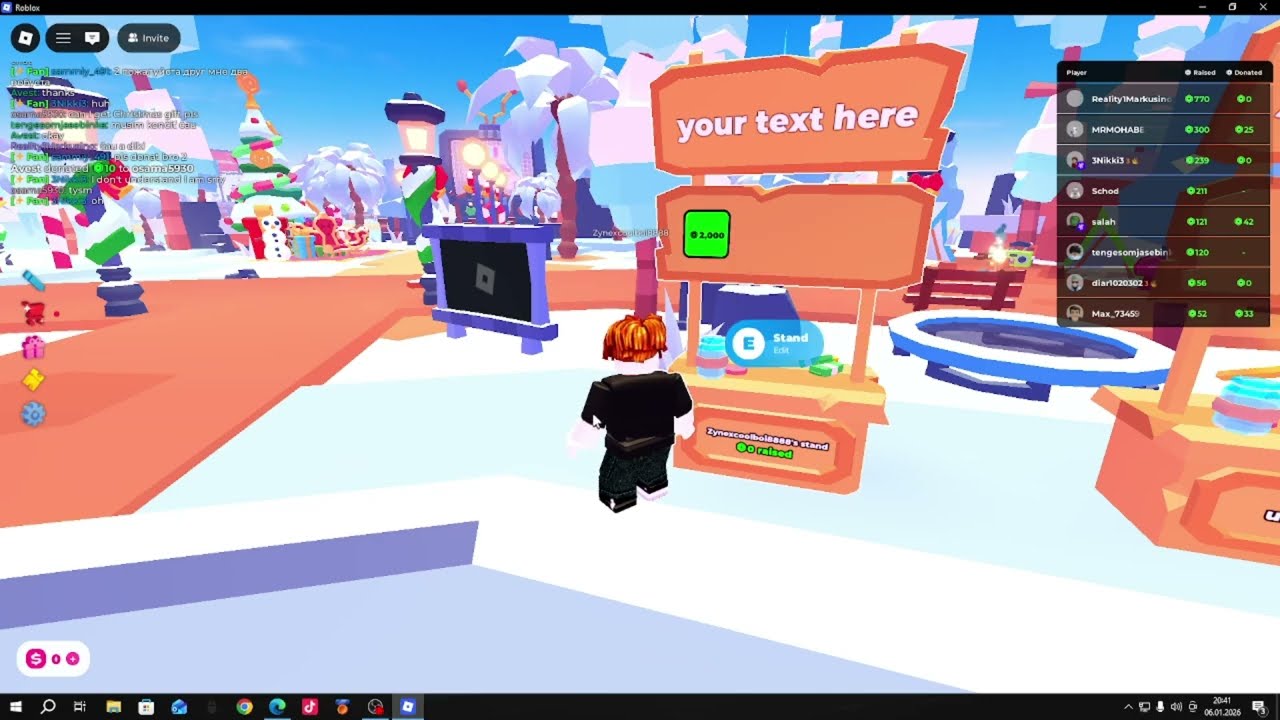


HOW TO CREATE A GAMEPASS IN 2026 ROBLOX YouTube . How To Make A Gamepass In Roblox 2026 YouTube . How To Make Gamepass In 60 SECONDS With Roblox 2025 YouTube . How To Make A Gamepass On Roblox Step By Step Guide Copy Of WWE 2K25 . How To Make A Gamepass In Roblox Quick And Easy YouTube